The problem
Trader Joe's stores are small and often become crowded during peak hours. The combination of high customer traffic and full-sized carts creates congestion that makes navigating aisles difficult. As a result, customers experience frustration while shopping. This crowding undermines Trader Joe's otherwise enjoyable and distinctive shopping experience. Customers who visit primarily for unique or specialty items may reconsider their trips due to the stress of navigating crowded stores.
research findings
To explore opportunities related to Trader Joe's, I helped create and distribute a survey to 8 Loyola University New Orleans students, including one Trader Joe's crew member. Using the responses, my team conducted a thematic analysis to identify key insights.
Customers visit primarily for unique products and frequently make impulse purchases.
Unclear product availability causes frustration, especially when items are out of stock or discontinued.
The stores can be difficult to navigate because they are small and get crowded.
Customer Persona

"I want to buy my favorite products without getting stuck in crowds."
Olivia Marks is a student who wants to eat healthy but has a tight schedule and budget. She can only go shopping on weekends, but has to finish quick to have time for homework.
Pain Points
Limited time items getting pulled
Trouble moving through crowds
Long lines
Spending too long looking around at new products
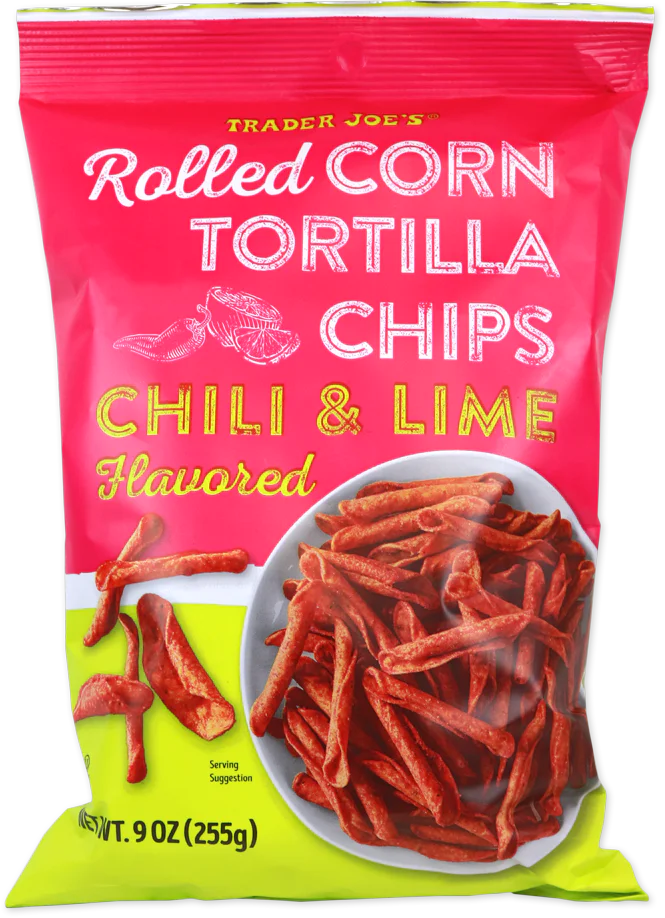
Favorite Products
Customer Journey Map
Using the persona, I mapped Olivia's typical Trader Joe's visit across six stages to identify where the experience breaks down and why.
Stage 1
Arrival & Parking
Doing
Driving to Trader Joe's and finding parking
Thinking
"I can't wait to see what new stuff they've got—I'd really like some bubble waffles!"
"Ugh, I can't find where to park and I bet they're real busy too."
Feeling
Initial excitement followed by annoyance
Stage 2
Search the Store
Doing
Searching the store for products
Thinking
"I'm basically playing bumper carts just trying to get down the aisle."
"Where'd they put the bubble waffles? Did they stop selling them?"
Feeling
Intrigued but overwhelmed and indecisive
Stage 3
Navigation & Cart
Doing
Navigating the store after picking products
Thinking
"Oh no, look at the time! I'd better check out already."
"Turning this cart is getting tough — I got way more than I thought."
Feeling
Slightly stressed
Stage 4
Checkout Line
Doing
Waiting in line to checkout
Thinking
"This line is endless… I have to start my homework!"
"I just want to get home and try that new pasta. I'm starving."
Feeling
Impatient, anxious and hungry
Stage 5
Cashier
Doing
Checking out with a cashier
Thinking
"Finally at checkout. Let's get this over with."
"This all costs $150?! Can I put something back?"
Feeling
Relieved, then stressed and indecisive
Stage 6
Exit
Doing
Exiting the store and getting in the car
Thinking
"Finally out! Time to try some new snacks."
"These chips taste great, but I wish I didn't spend so long looking around. I just can't afford to when lines are so long."
Feeling
Satisfied yet regretful and pressed for time
Design Direction
Early brainstorming explored two paths: making the crowded experience more enjoyable, or reducing in-store traffic. Some concepts, like gamified checkout rewards or social trivia during wait times, were inventive, but ultimately would have added complexity and slowed things down further. I pivoted to the more impactful solution: help customers avoid peak hours entirely, rather than trying to transform behavior inside a crowded store.
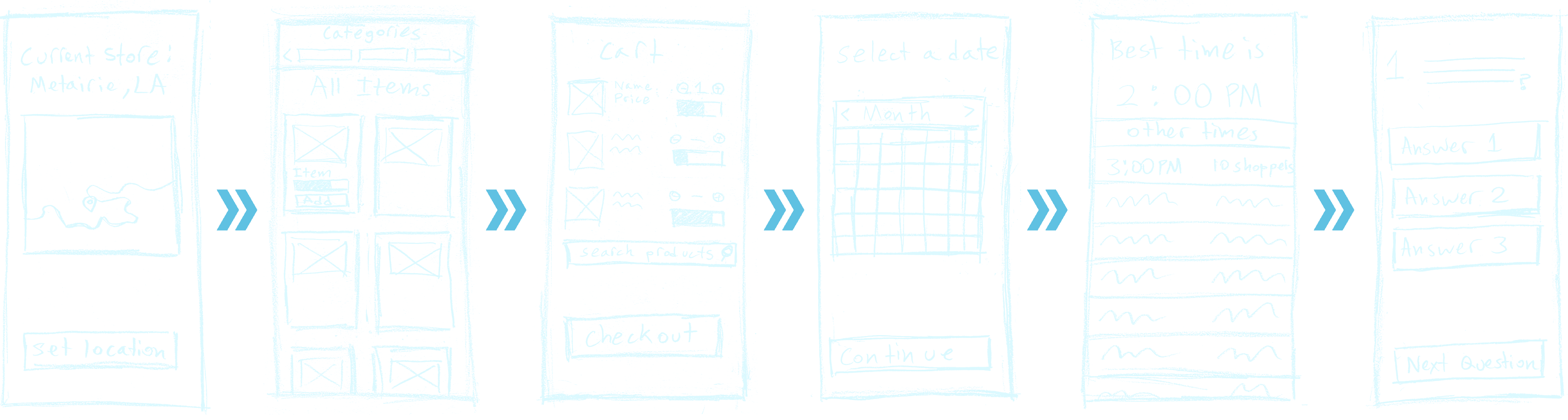
User Flow Sketches
My initial user flow, which remained similar until the high fidelity version. The main difference is the trivia game for shoppers to play during checkout lines.
Design system
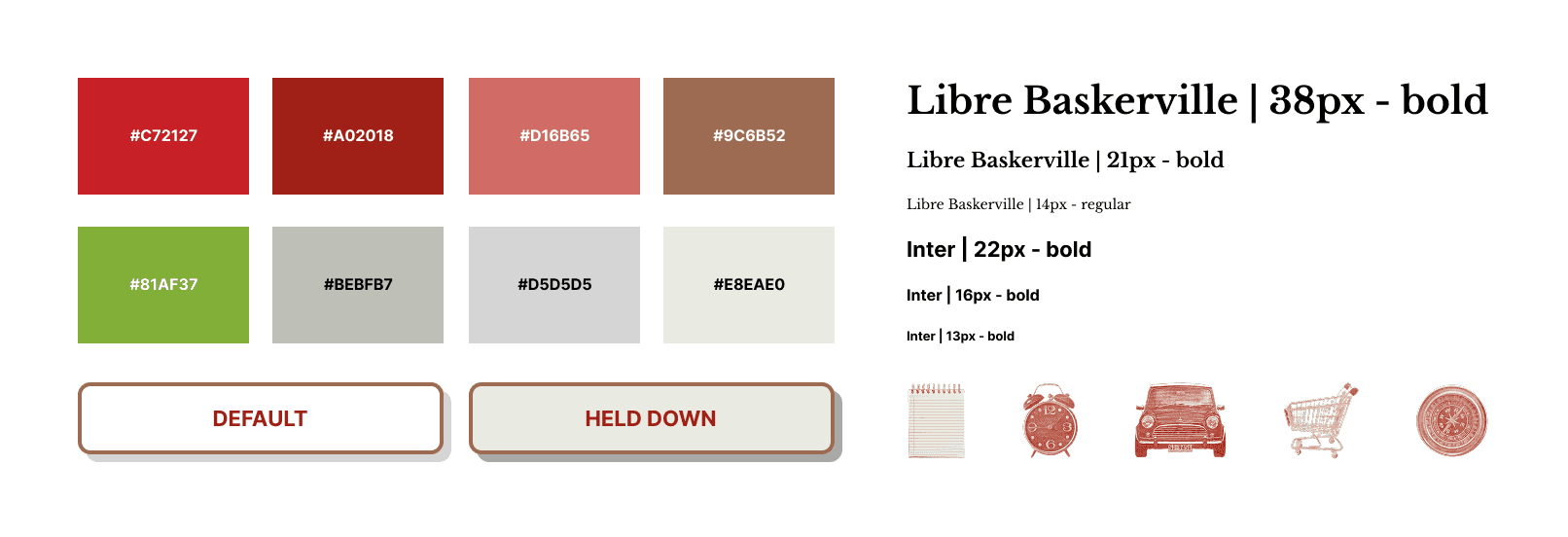
The colors, typography and icons are based on the existing Trader Joe's website for brand consistency.
features
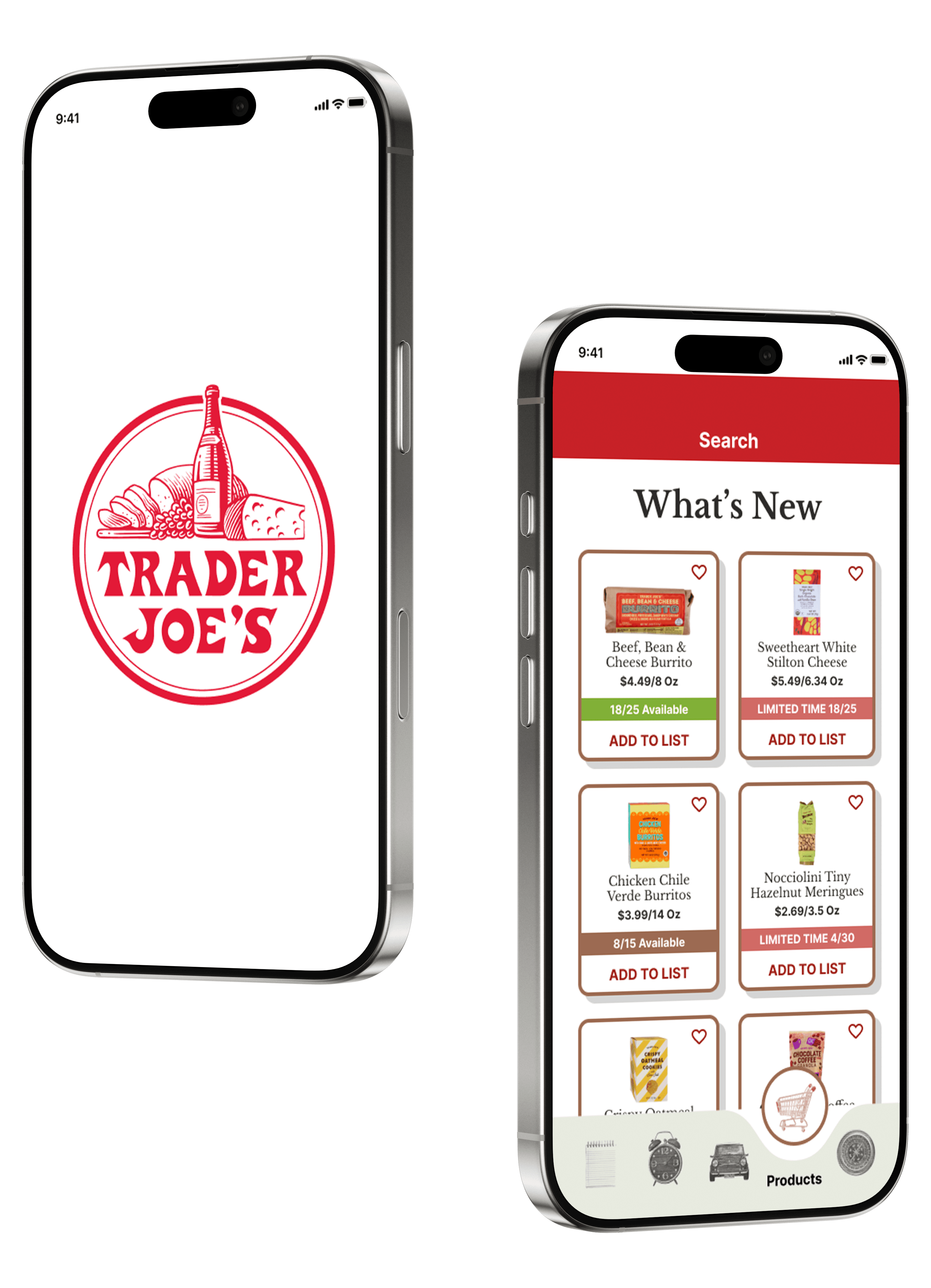
The final concept is an app designed to reduce shopping stress by giving customers the information they need before ever leaving home.
Set a store location so all data — traffic, inventory, scheduling — reflects that store.
check store busyness via live cctv footage, showing you exactly how crowded the aisles are.
Create a shopping list and get notifications when an item is running out. Know before you go whether what you want is in stock.
View weekly traffic patterns and plan a visit when crowds are lowest, timed around your schedule.
Browse inventory, check stock levels, and see clearly when limited-time items are running low.
User Testing & Changes
I conducted usability testing with five students using the high-fidelity Figma prototype. Participants completed six tasks covering core features: setting a store location, checking busyness, adding items to a shopping list, using product filters, and scheduling a visit. After the interviews, I revised the app while considering the feedback I received.
Problems
Changes Made
Most users skipped or did not read the tutorial entirely.
Removed the tutorial. The interface was already self-explanatory.
Users instinctively reached for a search bar first on the product and store location screens.
Made the search bar functional on the store location page and changed the product page task to match search-first behavior.
The hamburger menu used for product filters was confusing, as users didn't recognize it as a filter control.
Replaced with the hamburger menu with a dropdown filter and search bar on the product page.
The CCTV feature felt intrusive to some users, and it was unclear why a grocery app would show live camera feeds.
Replaced with parking lot traffic visualization, offering the same practical value, without privacy concerns.
Iterations
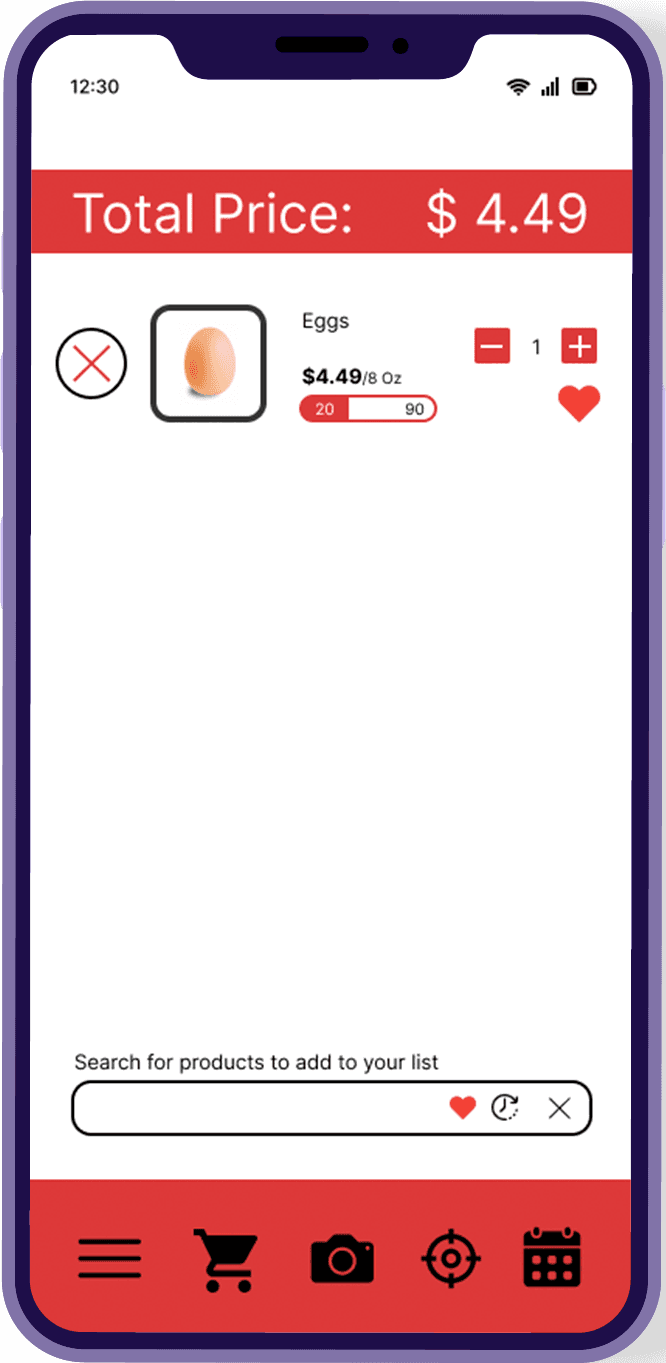
Low Fidelity
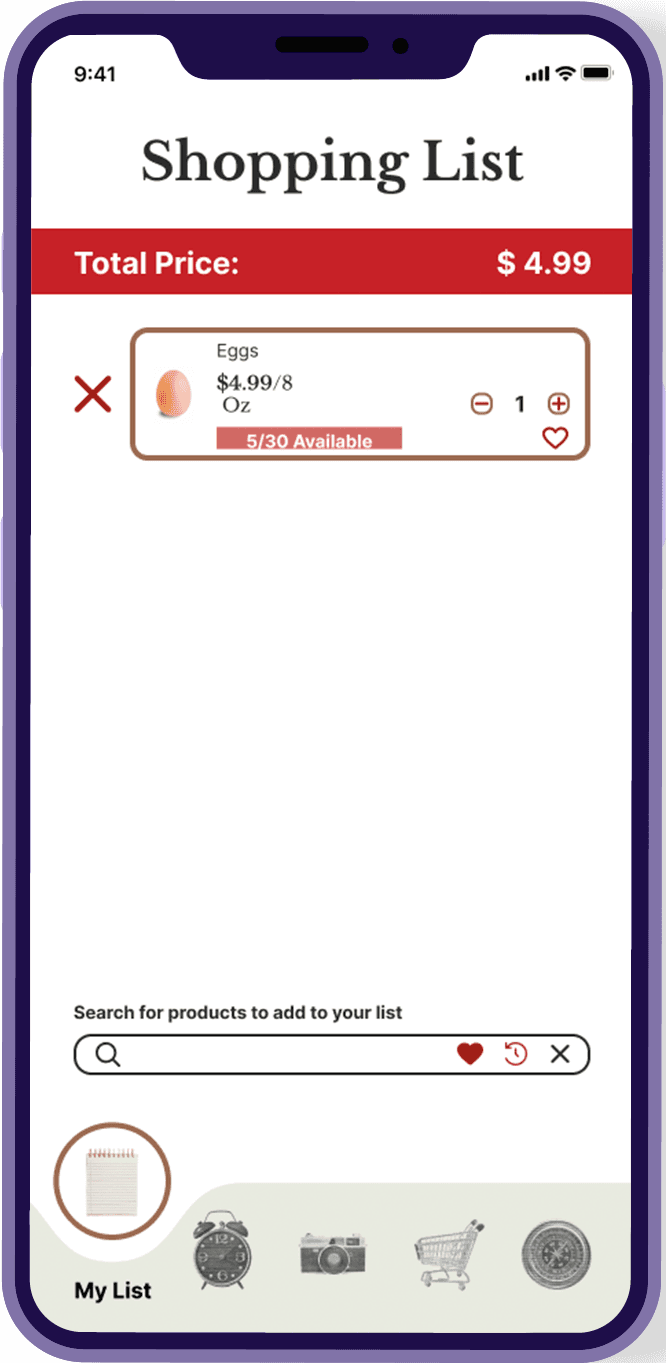
Mid Fidelity
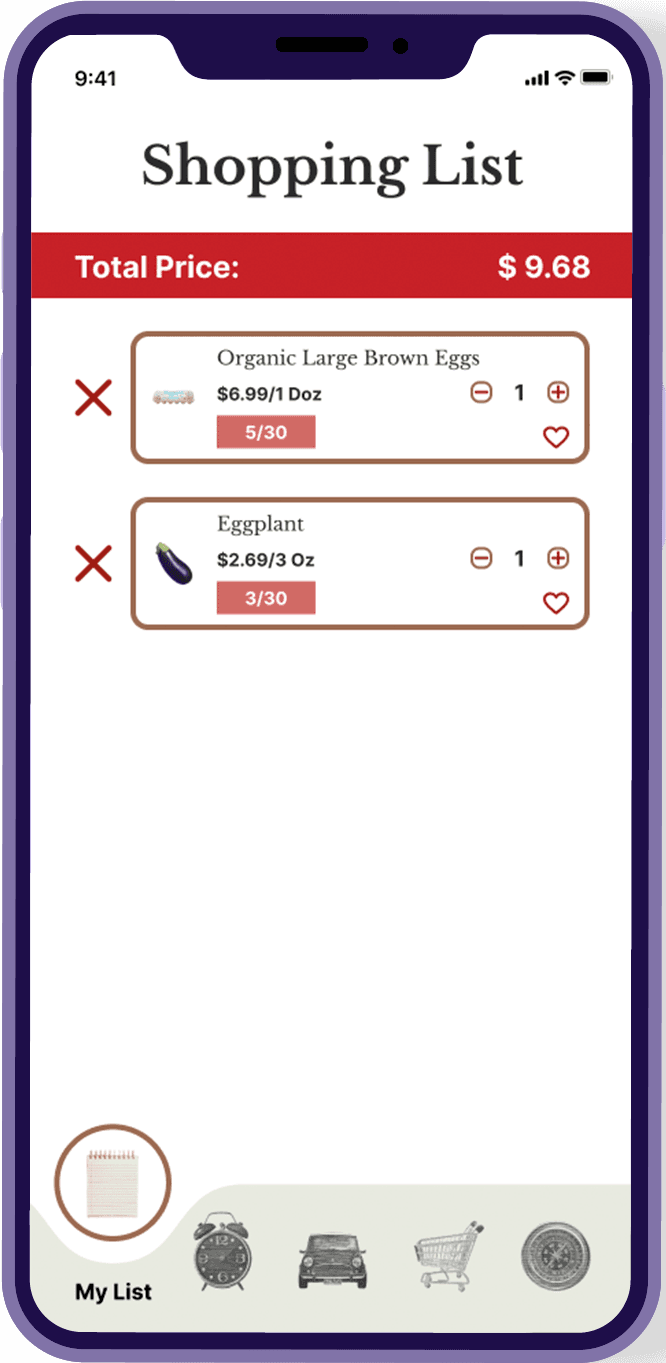
High Fidelity
Store traffic visualization
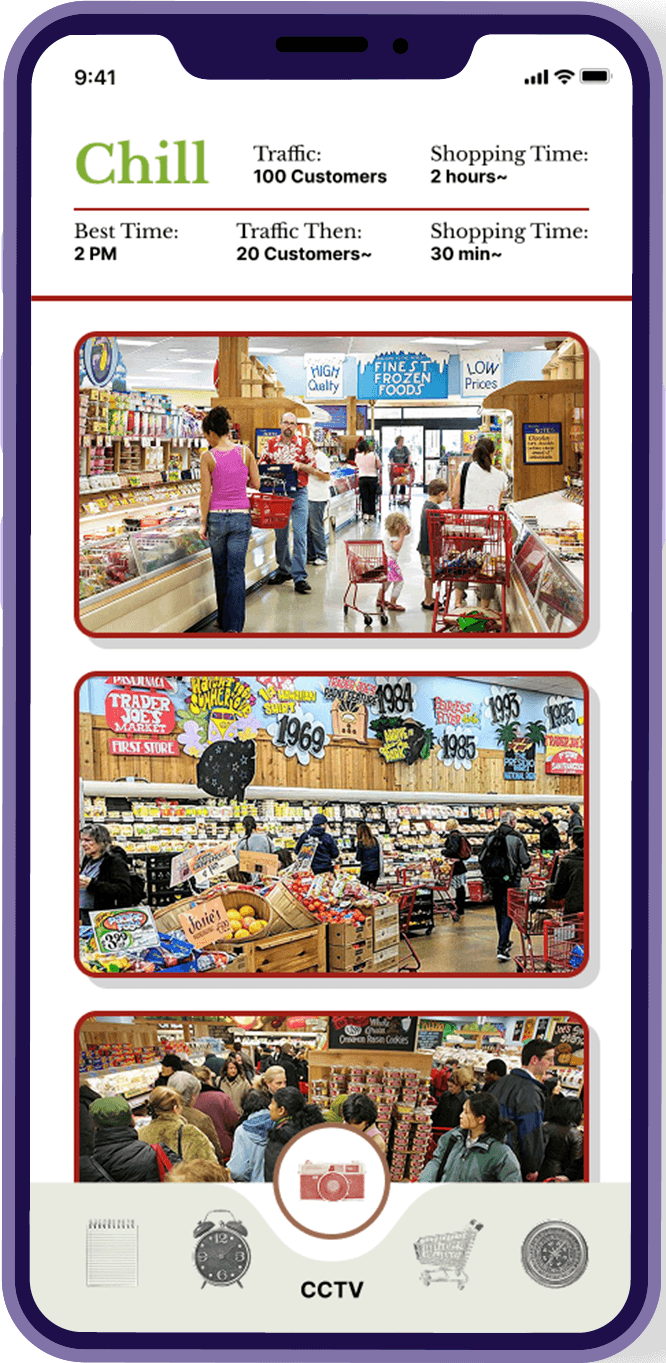
Before Feedback
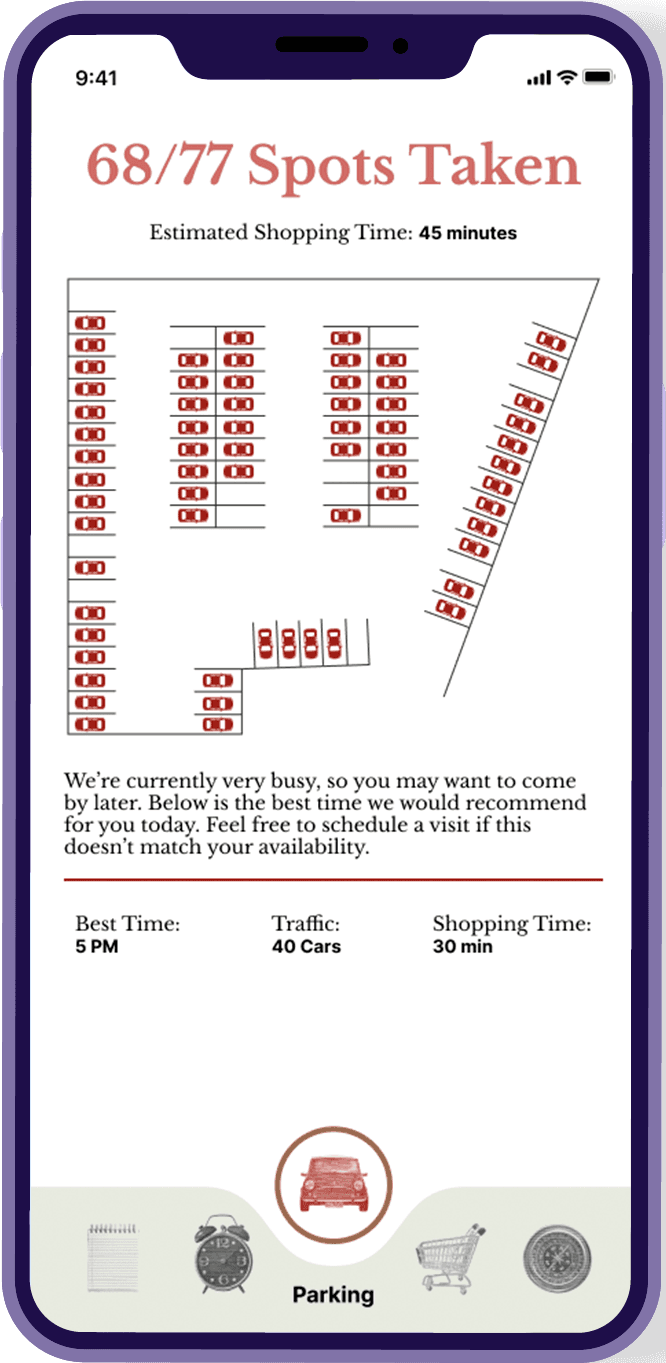
Revised
Reflection
This project reinforced how much of good UX is about removing friction rather than adding features. The clearest lesson: design must align with both user expectations and brand values.
What I learned
Even short tutorials go unread, so interfaces must explain themselves.
Search is often the first tool users reach for in digital products.
Design decisions must reflect company values.
What I'd Change
Require location selection before accessing any feature, as it's more realistic and guides the user flow naturally.
Build out individual product pages with nutritional info.
Expand filter options based on new feature set.